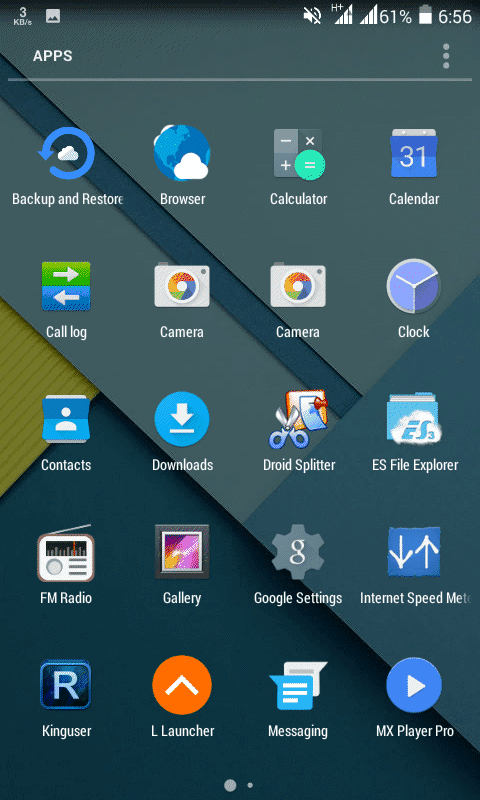
Lollipop custom Rom for Walton Primo EF2

Lollipop custom Rom is a rom for android operating system. Modified and designed for specific model of android device. Lollipop custom Rom is customized for Walton Primo EF2 and created by android developers one of them is Shakil Khan. He also created some other android rom. Updated system applications are present in this rom. In this rom there are new features available. It is a beautiful operating system. It is less time consumed than other operating systems rom. The rom has many uncommon facilities. The lollipop custom rom is less charge consumed. This rom have totally different outlook. Now i will show you that How to Install Lollipop custom Rom in your Walton Primo EF2. Just follow the instruction.
New Features:-
Dual sim 3G enable
Lollipop
All GPS Supported
More than 600+ Free RAM
Better Camera
HD Game Running Smoothly Without Lag
Xposed Supported
Lenevo Camera Supported
Stable Rom
List View Animation
Beautiful  Wallpapers

Solution:-
Files need to be downloaded:-
1. Lollipop
Password:- jabadbd24.blogspot.com

Warning:- Before installing custom rom make sure that you have root and install CWM. We are not responsible for any kind of damage for your mistake.
To root and install CWM please follow this link

Process:-
1. Download the rom
2. Now copy Lollipop zip file in your SD card
3. Then switch off your phone
4. Press and hold volume up+power button+Home together
note: format system, data and cache before install the rom
5. Select update from SD
6. Now select the Lollipop zip file and select yes
note: It will take approximately 15 minute to install
8. Then restart your phone
7. Now use and enjoy

Finally, Problem solved!
Now you can install Lollipop custom Rom in your Walton Primo EF2!
Congratulations!
If there any problem, don't hesitate to contact me

How to install CWM Recovery & Root Walton Primo EF2

This is for Walton Primo EF2 phone user. Now you can root your android walton primo phone. It is the most simple process for rooting with simple steps. Root enable android user to get all facilities of their phone. Root enables install all kinds of applications and games. Rooting is important for advanced and potentially operations. For example modifying, customizing,  deleting system files, removing default applications, high level access and many more. Rooting installs a Superuser application in the phone. This super su app will supervises other applications. Super su grants the superuser rights. It is more important to know after rooting the phone, if you want you can also unroot it again. Now i will show you that How to install CWM Recovery & Root Walton Primo EF2. Just follow the instruction.

Solution:-
Files need to be downloaded:-
Password:- jabadbd24.blogspot.com

Installing CWM Recovery & Root is a advance level process. If you do not know or have no idea about CWM Recovery & Root then do not try this. If you follow our process correctly you can do it. So do it at your own risk.

Process:- CWM Recovery
1. At first download the files
2. Now extract it, you will get some files
3. Now open the Driver folder and install suitable driver in computer
note: if your computer operating system is x86 then install 32 bit driver, if your computer operating system is x64 then install 64 bit driver
4. From the SP Flash Tool v3.1352.01 folder double click on flash_tool
5. Now click on Scatter-Loading and select MT6582_Android_scatter.txt
then put tick mark on RECOVERY, double click on Location an select "Primo_EF2_recovery.img"
6. Then click on download and click yes
7. Now switch off your phone, remove the battery, connect with computer via USB cable and then insert the battery
8. You will see a message Download ok. It means CWM Recovery is installed

Process:- Root
1. Copy "UPDATE-SuperSU-v2.01.zip" in SD card
2. Now press and hold power key & volume + key together to go to recovery mode
3. Then select update from Zip & install "UPDATE-SuperSU-v2.01.zip"
4.  Now use and enjoy

Finally, Problem solved!
Now you can install CWM Recovery & Root your Walton Primo EF2!
Congratulations!
If there any problem, don't hesitate to contact me

HTC Inspiration custom Rom for Walton Primo EF2

HTC Inspiration is a custom Rom that is a operating system for android. This rom is designed for a specific android mobile phone. HTC Inspiration custom Rom is developed for Walton Primo EF2 and it is created by a Bangladeshi android developer group. This version containing new features with updated system applications. HTC Inspiration is a nice and gorgeous operating system with a different outlook. HTC Inspiration will make the phone different in look. It is more faster than the default operating systems and HTC Inspiration brings many beautiful features. Another advantage in HTC Inspiration custom rom is, it is require minimum charge . You can Check it out and surely like HTC Inspiration rom because of its different UI. Now i will show you that How to Install HTC Inspiration custom Rom in your Walton Primo EF2. Just follow the instruction.


New Features:-
100% Problem free
More Faster and Smoother
Gravity BOX (full support)
KitKat version
Improvement Camera Quality
Better RAM performance
Sound quality is too good
Battery backup increase

Solution:-
Files need to be downloaded:-
1. HTC Inspiration
Password:- jabadbd24.blogspot.com

Warning:- Before installing this rom you have to  make sure that your phone is rooted and installed CWM. We are not responsible for any kind of damage that is done by your mistake.
To root and install CWM recovery please follow this link

Process:-
1. Download the file
2. Now copy HTC Inspiration rom zip file in your SD card
3. Then switch off your phone
4. Press and hold volume up+power button+Home together
note: format system, data and cache before install the rom
5. Select update from SD
6. Now select the HTC Inspiration rom zip file and select yes
note: It will take approximately 15 minute to install
8. Then restart your phone
7. Now use and enjoy

Finally, Problem solved!
Now you can install HTC Inspiration custom Rom in your Walton Primo EF2!
Congratulations!
If there any problem, don't hesitate to contact me

How to install TWRP Recovery & Root Symphony xplorer H100

Good news for Symphony xplorer H100 phone user. Now you can root your phone easily. It is a most simple tutorial for rooting. After root a android user can get all facilities of their phone. Root enables all the user to install all applications and games. Rooting is important for more advanced and potentially operations in phone. Such as modifying or deleting system files, removing manufacturer installed applications (build in applications), and low level access. Rooting installation also installs a Superuser application. It will supervises all other applications. And also grant the root or superuser rights. It is more important to get all advance features of phone. After rooting the phone, if you want to make your phone unroot, you can also do this. Now i will show you that How to install TWRP Recovery & Root Symphony xplorer H100. Just follow the instruction.

Solution:-
Files need to be downloaded:-
Password:- jabadbd24.blogspot.com

Installing TWRP Recovery & Root is a advance task. If you do not know about TWRP Recovery & Root then do not try this. If you follow our process correctly you can do it. So do it at your own risk.

Process:- TWRP Recovery
1. At first download the file
2. Now extract it, you will get the following files
3. Now open the Driver folder and install suitable driver in computer
note: if your computer operating system is x86 then install 32 bit driver, if your computer operating system is x64 then install 64 bit driver
4. From the SP Flash Tool v3.1344.0.212 folder double click on flash_tool
5. Now click on Scatter-Loading and select MT6582_Android_scatter.txt
6. Then click on download and click yes
7. Now switch off your phone, remove the battery, connect with computer via USB cable and then insert the battery
8. You will see a message Download ok. It means TWRP Recovery is installed


Process:- Root
1. Copy SuperSu in sd card
2. Now press and hold power key & volume + key together to go to recovery mode
3. Then select update from zip & install Super SU
4. Now use and enjoy

Finally, Problem solved!
Now you can install TWRP Recovery & Root your Symphony xplorer H100
Congratulations!
If there any problem, don't hesitate to contact me

How to recover deleted data from computer and SD card

Data recovery means you can recover the files or data that have been deleted, lost, damaged accidentally. Sometimes we lost our important data such as image, text, video, picture, documents, web file etc. By this process we can get back those files or data. It is a easy and powerful tool to recover files. You can recover not only some specific types of files but also all kinds of files. So do not worry if u lost any data from computer or memory card because power data recovery is here. Now i will show you that how to install Power Data Recovery full version in your computer and recover deleted data from computer and SD card. Just follow my instructions. 

Data Recovery Abilities:-
• Recover deleted files and folders
• Recover data from damaged partition
• Recover data after re-partition
• Recover data from a crashed hard drive
• Recover data after re installing windows
• Recover data from formatted partition with original path and file name
• Recover photos from memory card
• Recover music and video from iPod

Solution:-

Files need to be downloaded:-
1. Power Data Recovery
Password:-  jabadbd24.blogspot.com

Process:-
1. Run Power Data Recovery
2. Click on Deep Scan Recovery
4. Now select the driver or location from where the file or data has been deleted then click on recover
5. Then put tick mark on the deleted file types and click ok
note: put tick mark on the file types that you want to recover
6. Now wait, it will scan the drive to find the deleted files
7. After scanning complete, it will show the file which is been recovered
8. Click on save to get the file back
9. Now use and enjoy

Finally, Problem solved!
Now you can recover deleted data from computer and SD card!
Congratulations!
If there any problem, don't hesitate to contact me